JavaScript Operators: The Basics You Need to Know
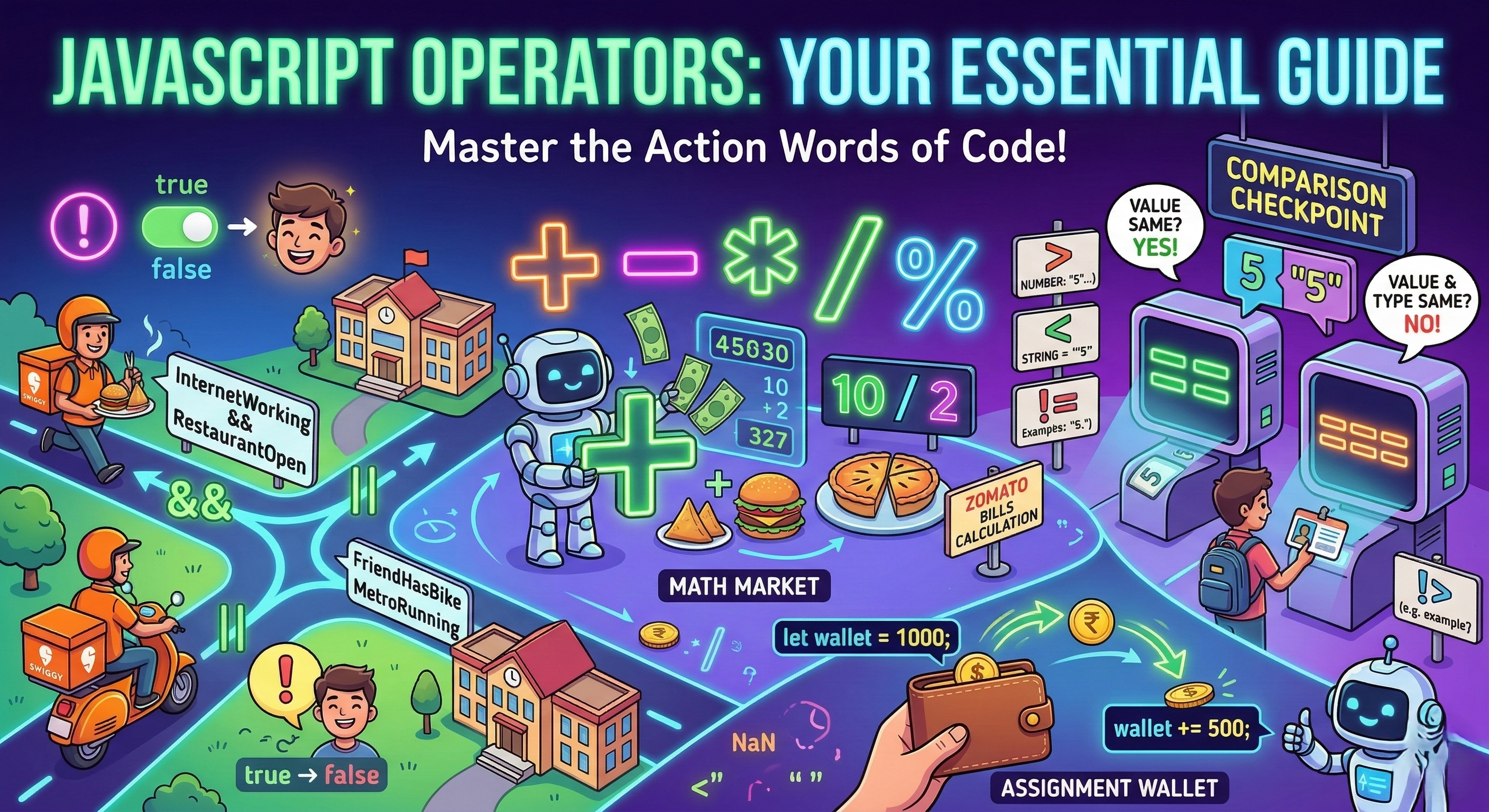
When you start learning JavaScript, you quickly realize that writing code is a lot like doing everyday tasks — you calculate things, compare things, and make decisions.
In JavaScript, the symbols that help you do these things are called operators.
Think of operators as the action words of programming.
For example:
+adds numbers>compares values&&checks multiple conditions
Without operators, JavaScript would basically just sit there like a student in an 8 AM lecture — doing absolutely nothing.
Let’s break down the operators every beginner should know.
1. What Are Operators?
An operator is a symbol that performs an operation on values or variables, or operands.
Example:
let result = 5 + 3;
Here:
5and3→ operands+→ operator
The operator tells JavaScript what action to perform.
In real life, it's like telling a friend:
"Bro, add these Zomato bills and tell me how much I owe."
2. Arithmetic Operators (Basic Math)
These are the operators you already know from school math. They perform calculations on numbers.
| Operator | Meaning |
|---|---|
+ |
Addition |
- |
Subtraction |
* |
Multiplication |
/ |
Division |
% |
Remainder (Modulus) |
Example
let priceBurger = 120;
let priceFries = 80;

let total = priceBurger + priceFries;

console.log(total);
Output
200
2.1) The + Operator — Addition AND Concatenation
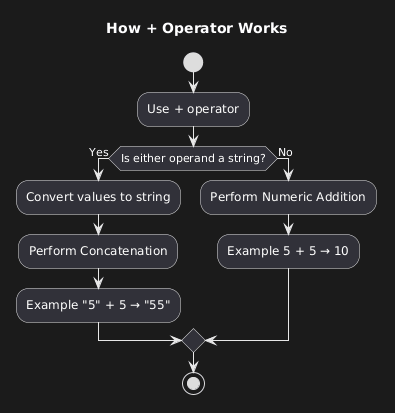
The + operator is special in JavaScript.
It can do two things:
1️⃣ Addition (when working with only numbers)
2️⃣ Concatenation (when working with strings (any one of the two operands))
Addition Example
console.log(10 + 5);
Output
15
String Concatenation
console.log("Hello " + "World");
Output
Hello World
JavaScript simply joins the strings together.
Mixed Example (Common Beginner Gotcha)
console.log("5" + 5);
Output
55
JavaScript converts the number to a string and joins them together, and the type of output is a string.
My advice to see the data type of the two operands on either side of the operator + to determine what type of operation will occur.
More Gotchas:-
console.log(10 + 2 + "happy"); // (10 + 2 = 12; 12 + "happy" =>"12happy")
console.log("10" + 2 + "happy"); // ("10" + 2= "102" ; "102"+"happy" =>"102happy")
This happens because the + operator is left-associative. Meaning it will read and solve from left to right, which affects the output of the first operations, which later become the input of the second operation.
Real-Life Example
let chaiPrice = 20;

console.log("Total price: ₹" + chaiPrice + 10);
Output
Total price: ₹2010
Wait… what?
We expected ₹30.
Fix it with parentheses:
console.log("Total price: ₹" + (chaiPrice + 10));
Output
Total price: ₹30
Parentheses save lives.
2.2) Subtraction
console.log(10 - 4);
Output
6
2.3) Multiplication
console.log(5 * 3);
Output
15
2.4) Division
console.log(10 / 2);
Output
5
2.5) Modulus (Remainder)
Modulus gives the remainder after division.
console.log(10 % 3);
Output
1
Real-life use:
Imagine splitting 10 samosas among 3 friends.
Everyone gets 3 samosas, and 1 samosa is left for me 😌🙏
3. Comparison Operators (Comparing Values)
Comparison operators compare two values and return true or false.
| Operator | Meaning |
|---|---|
== |
Equal value |
=== |
Equal value AND type |
!= |
Not equal |
> |
Greater than |
< |
Less than |
The Famous Interview Question: == vs ===
Double Equals ==
Checks value only
console.log(5 == "5");
Output
true
JavaScript says:
"Hmm value same hai… chalega. 🤔"
Triple Equals ===
Checks value AND data type
console.log(5 === "5");
Output
false
JavaScript says:
"Number aur string same kaise ho sakte? Nahi chalega.😤"
Relatable Example
Imagine your college ID verification.
Name = Saurabh
ID number = 123
== check:
"Naam Saurabh hai? Entry de do."
=== check:
"Naam bhi Saurabh, ID bhi 123? Tabhi entry milegi."
Much stricter.
4. Logical Operators (Making Decisions)
Logical operators help when you have multiple conditions.
| Operator | Meaning |
|---|---|
&& |
AND |
| ` | |
! |
NOT |
4.1) AND Operator &&
Both conditions must be true.
Example: Ordering food on Swiggy.
let hasMoney = true;
let restaurantOpen = true;

console.log(hasMoney && restaurantOpen);
Output
true
Meaning:
You have money AND restaurant is open → food confirmed 🍕
4.2) OR Operator ||
Only one condition needs to be true.
Example:
let friendHasBike = false;
let metroRunning = true;

console.log(friendHasBike || metroRunning);
Output
true
Meaning:
Bike nahi hai, but metro chal rahi hai → college ja sakte ho...kya aap jaoge?
4.3) NOT Operator !
It reverses the value.
let examToday = true;

console.log(!examToday);
Output
false
Mood of students: 🙃
!examToday → Happiness++
Logical Operators Return Values (Not Just True/False)
This surprises many beginners.
Logical operators return actual values, not just true or false.
Example:
console.log(0 && "hello");
Output
0
Why?
Because 0 is falsy, so JavaScript stops there.
A falsy (sometimes written as falsey) value is a value that is considered false when encountered in a Boolean context. This means that when these values are used in conditions, loops, or logical operations, they are treated as false.
List of Falsy Values
JavaScript has a specific set of values that are considered falsy. These include 6 types:
false: The boolean value false.
0: The number zero, including variations like 0.0, 0x0, etc.
"": An empty string, including '' and ``.
null: The absence of any value.
undefined: The primitive value representing an uninitialized variable.
NaN: Not a Number, a special value returned from operations that don't yield a numeric result.
Another example:
console.log(null || "Guest User");
Output
Guest User
Great trick for default values.
5. Assignment Operators
Assignment operators assign values to variables.
| Operator | Meaning |
|---|---|
= |
Assign value |
+= |
Add and assign |
-= |
Subtract and assign |
Basic Assignment
let balance = 1000;
Balance is now 1000.
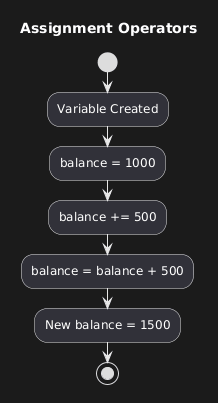
Add and Assign
let balance = 1000;

balance += 500;

console.log(balance);
Output
1500
Shortcut for:
balance = balance + 500;
Real Life Example
UPI wallet recharge:
let wallet = 200;

wallet += 300;

console.log(wallet);
Output
500
Your wallet after parents send money 😌
Fun JavaScript Operator Facts
Fact 1
NaN is the only value not equal to itself.
console.log(NaN == NaN);
Output
false
Fact 2
Empty string equals zero with ==
console.log("" == 0);
Output
true
Fact 3
JavaScript sometimes converts values automatically (called type coercion).
Example:
console.log("5" - 2);
Output
3
JavaScript converted "5" into a number.
Small Practice Assignment
Try these exercises yourself.
1️⃣ Arithmetic
let num1 = 20;
let num2 = 10;

console.log(num1 + num2);
console.log(num1 - num2);
console.log(num1 * num2);
console.log(num1 / num2);
2️⃣ Compare Values
console.log(10 == "10");
console.log(10 === "10");
3️⃣ Logical Condition
Example: Can you watch Netflix tonight?
let finishedAssignments = true;
let internetWorking = true;

console.log(finishedAssignments && internetWorking);
Final Thoughts
JavaScript operators may look small, but they are the backbone of almost every program.
With just these operators, you can:
Do calculations
Compare data
Build conditions
Control program behaviour
And the best part?
You’ll use these in almost every single JavaScript program you write.
So master these basics — and your future JavaScript self will thank you.
Happy Learning !!


