Understanding Objects in JavaScript 🧱

(A Beginner-Friendly Guide with Real-World Examples)
When people start learning JavaScript, arrays usually feel easy to understand. But sooner or later, you reach a point where arrays are not enough. You need a way to store related information together with labels.
That’s where objects come in.
Think of objects as containers that store data using key–value pairs. They help represent real-world things in code.
Let’s break it down step by step.
What Are Objects in JavaScript?
An object is a data structure that stores information in the form of key-value pairs.
Key → the name of the property
Value → the actual data stored
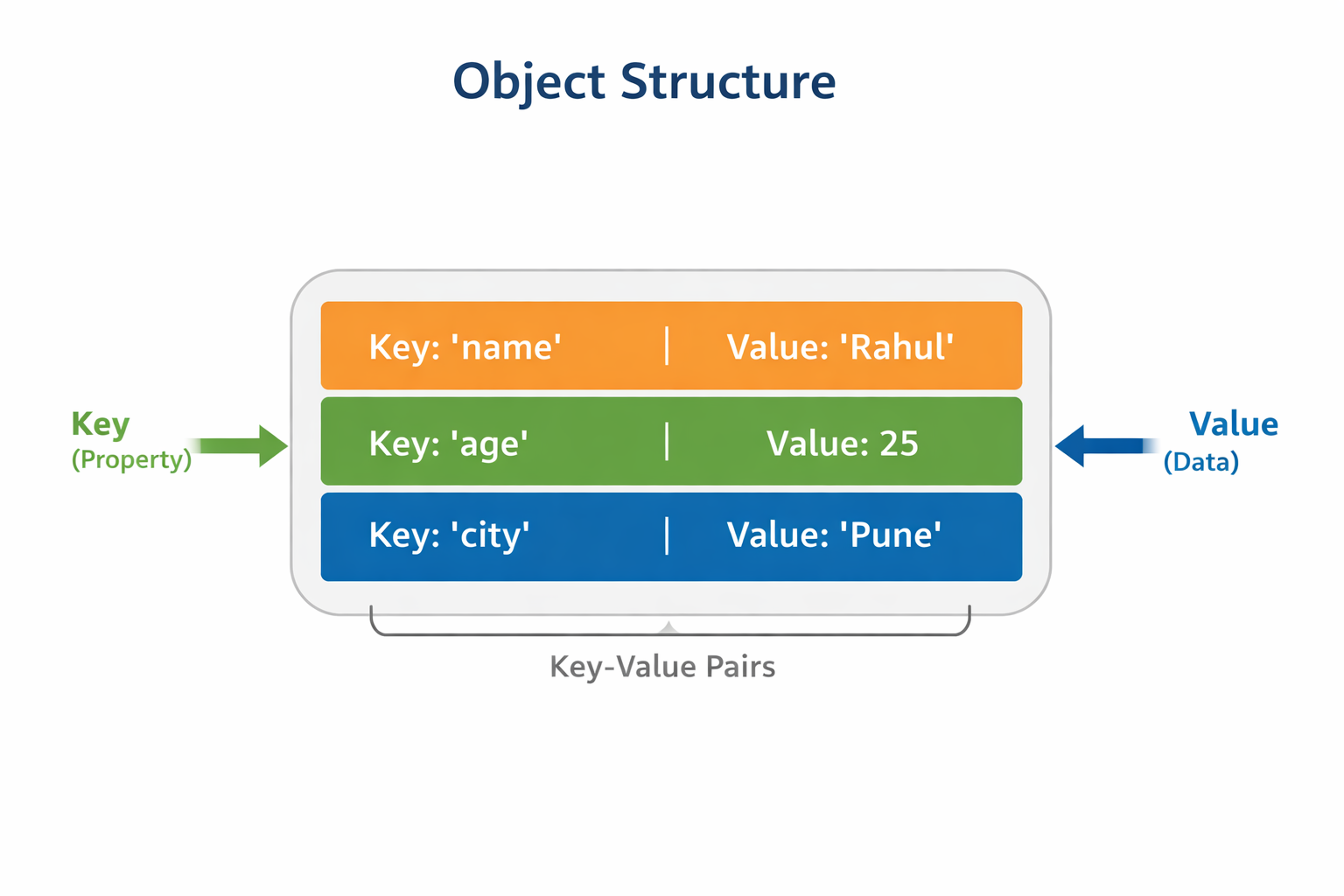
Example:
const person = {
  name: "Rahul",
  age: 25,
  city: "Pune"
};
Here:
| Key | Value |
|---|---|
| name | Rahul |
| age | 25 |
| city | Pune |
So the object describes a person using properties.
Why Are Objects Needed?
Imagine storing information about a person using arrays.
const person = ["Rahul", 25, "Pune"];
Now think about it…
Is index
0name or city?Is index
2age or city?
It becomes confusing quickly.
Objects solve this problem because each value has a label.
const person = {
  name: "Rahul",
  age: 25,
  city: "Pune"
};
Much easier to understand.
Objects vs Arrays
| Feature | Array | Object |
|---|---|---|
| Structure | Ordered list | Key-value pairs |
| Access | Index (0,1,2) | Property name |
| Use Case | List of items | Structured information |
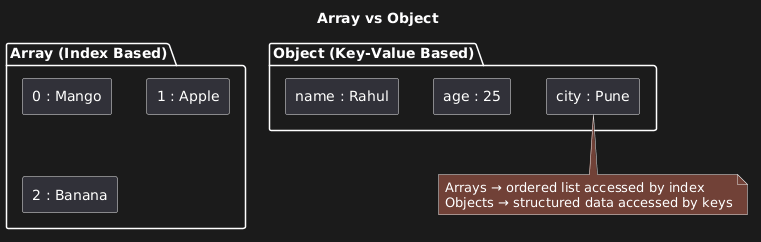
Example:
Array (list of fruits)
const fruits = ["Mango", "Apple", "Banana"];
Object (person details)
const person = {
  name: "Amit",
  age: 30,
  city: "Mumbai"
};
Rule of thumb
👉 Use arrays for lists
👉 Use objects for describing things
Creating Objects
Objects are created using curly braces {}.
Example:
const person = {
  name: "Priya",
  age: 22,
  city: "Delhi"
};
Real-world example:
const autoDriver = {
  name: "Ramesh",
  vehicle: "Auto Rickshaw",
  city: "Pune",
  rating: 4.6
};
This object stores details about an auto driver.
Accessing Object Properties
There are two ways to access object properties.
Dot Notation
Most common and simplest.
console.log(person.name);
console.log(person.age);
Output
Priya
22
Bracket Notation
Used when property names are dynamic or contain spaces.
console.log(person["city"]);
Example with dynamic key:
const key = "name";

console.log(person[key]);
Output
Priya
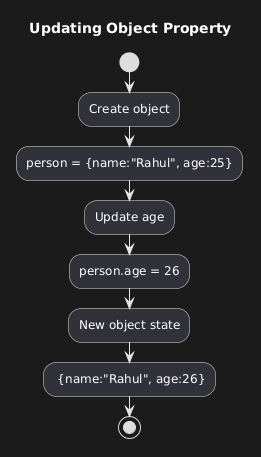
Updating Object Properties
Changing values is very simple.
const person = {
  name: "Rahul",
  age: 25,
  city: "Pune"
};
person.age = 26;
Now the object becomes:
{
  name: "Rahul",
  age: 26,
  city: "Pune"
}
Example with a relatable scenario:
person.city = "Mumbai";
Rahul moved to another city
Adding New Properties
Objects are dynamic. You can add new properties anytime.
person.job = "Software Developer";
Now the object looks like this:
{
  name: "Rahul",
  age: 26,
  city: "Mumbai",
  job: "Software Developer"
}
Example:
person.language = "Hindi";
Deleting Properties
You can remove properties using the delete keyword.
delete person.language;
Now the property is removed.
Looping Through Object Keys
To loop through objects, we use for...in loop.
Example:
const person = {
  name: "Rahul",
  age: 25,
  city: "Pune"
};

for (let key in person) {
  console.log(key, person[key]);
}
Output
name Rahul
age 25
city Pune
Explanation:
keystores the property nameperson[key]gives the value
Relatable Example
Let’s create an object representing a chai stall owner.
const chaiwala = {
  name: "Shyam",
  city: "Nagpur",
  teaPrice: 10,
  specialty: "Masala Chai"
};

console.log(chaiwala.name);
Output
Shyam
Updating tea price:
chaiwala.teaPrice = 12;
Adding a property:
chaiwala.openTime = "6 AM";
Gotchas Beginners Should Know ⚠️
Keys are strings internally
Even if you don't write quotes:
const obj = {
  age: 25
};
JavaScript treats it like:
"age": 25
Dot notation does NOT work with spaces
This will fail:
person.full name
Correct way:
person["full name"]
Undefined property returns
undefined
console.log(person.salary);
Output
undefined
No error — just undefined.
Fun Facts About JavaScript Objects 🤓
💡 Almost everything in JavaScript is an object (except primitive values).
💡 Arrays are actually a special type of object.
💡 Objects are used everywhere in real applications:
API responses
user profiles
database records
configuration settings
Assignment 💻
Create an object representing a student.
Steps:
- reate an object
const student = {
  name: "Arjun",
  age: 20,
  course: "Computer Science"
};
- Update one property
student.age = 21;
- Print all keys and values using a loop
for (let key in student) {
  console.log(key, student[key]);
}
Expected output:
name Arjun
age 21
course Computer Science
Final Thought
Objects are one of the most important concepts in JavaScript.
Once you understand them, you’ll start noticing that most real-world data in programming is represented using objects — from user accounts to product listings and API responses.
If arrays are like a shopping list, objects are like a detailed profile card that describes something clearly.
And honestly, once you get comfortable with objects, JavaScript starts feeling a lot more powerful and structured.
💬 If you found this blog helpful, feel free to share your thoughts in the comments.
Let me know if something was confusing, interesting, or even incorrect — learning together is always better!
👋


