JavaScript Arrays 101

Imagine you're making a list of your top 5 movies, tracking cricket scores with friends, or writing down tasks for the day. Instead of creating five different variables, JavaScript gives us something much cleaner: arrays.
Arrays help us store multiple related values inside a single variable while keeping them in order.
What Are Arrays and Why Do We Need Them?
An array is a collection of values stored in a single variable.
Think of it like a playlist on Spotify or a batting lineup in cricket. Each item is stored in a specific position.
Without arrays you might write code like this:
const movie1 = "Inception";
const movie2 = "3 Idiots";
const movie3 = "Interstellar";
const movie4 = "The Dark Knight";
Now imagine you want to print them all or change one of them. That becomes messy quickly.
Arrays solve this problem:
const movies = ["Inception", "3 Idiots", "Interstellar", "The Dark Knight"];
Now everything is stored neatly inside one variable.
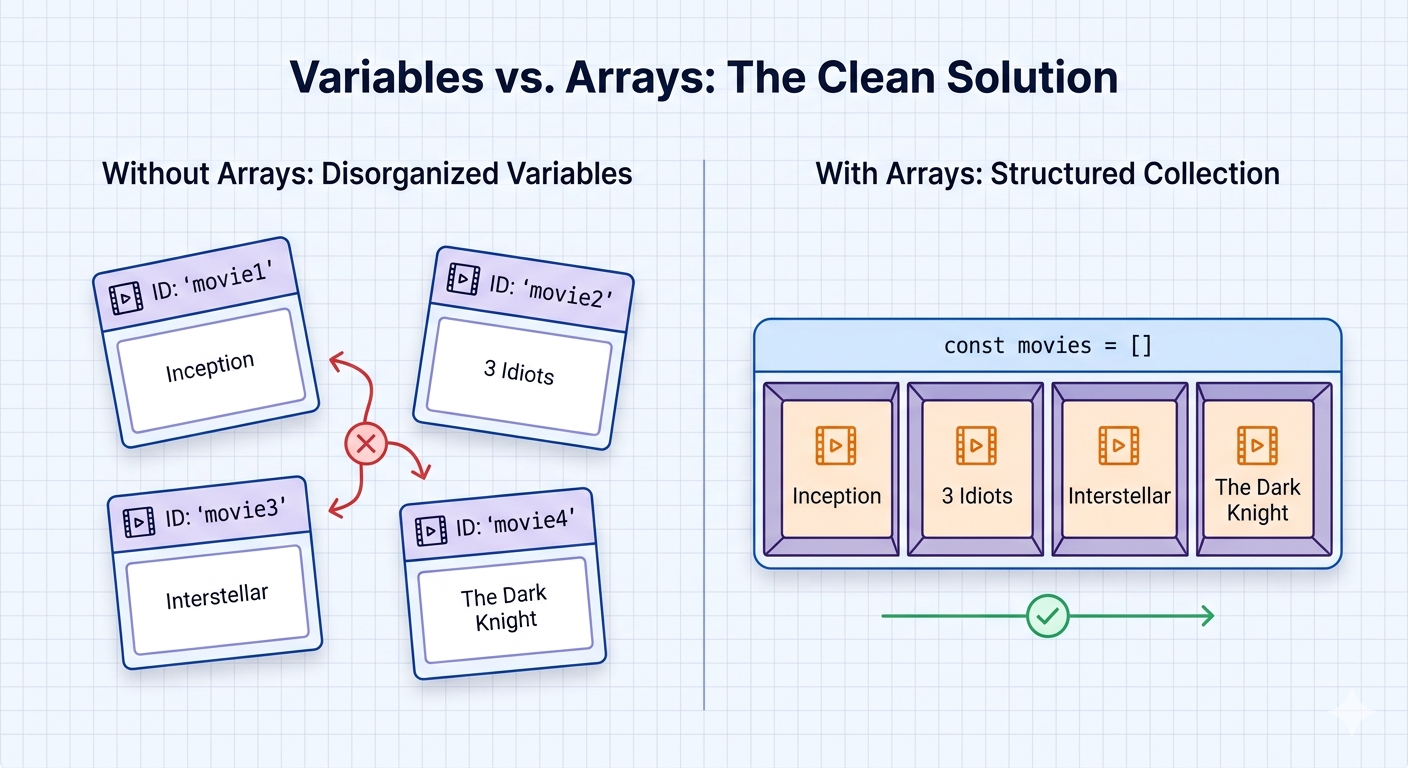
Why arrays are useful:
Store related data together
Access values easily
Loop through values
Write cleaner and shorter code
How to Create an Array
The most common way to create an array is using square brackets [].
const fruits = ["apple", "banana", "mango"];
You can store many types of values inside arrays.
const mixed = ["Virat", 18, true];
But beginners usually keep arrays consistent for readability.
You can also create an empty array and fill it later:
const tasks = [];
Accessing Elements Using Index
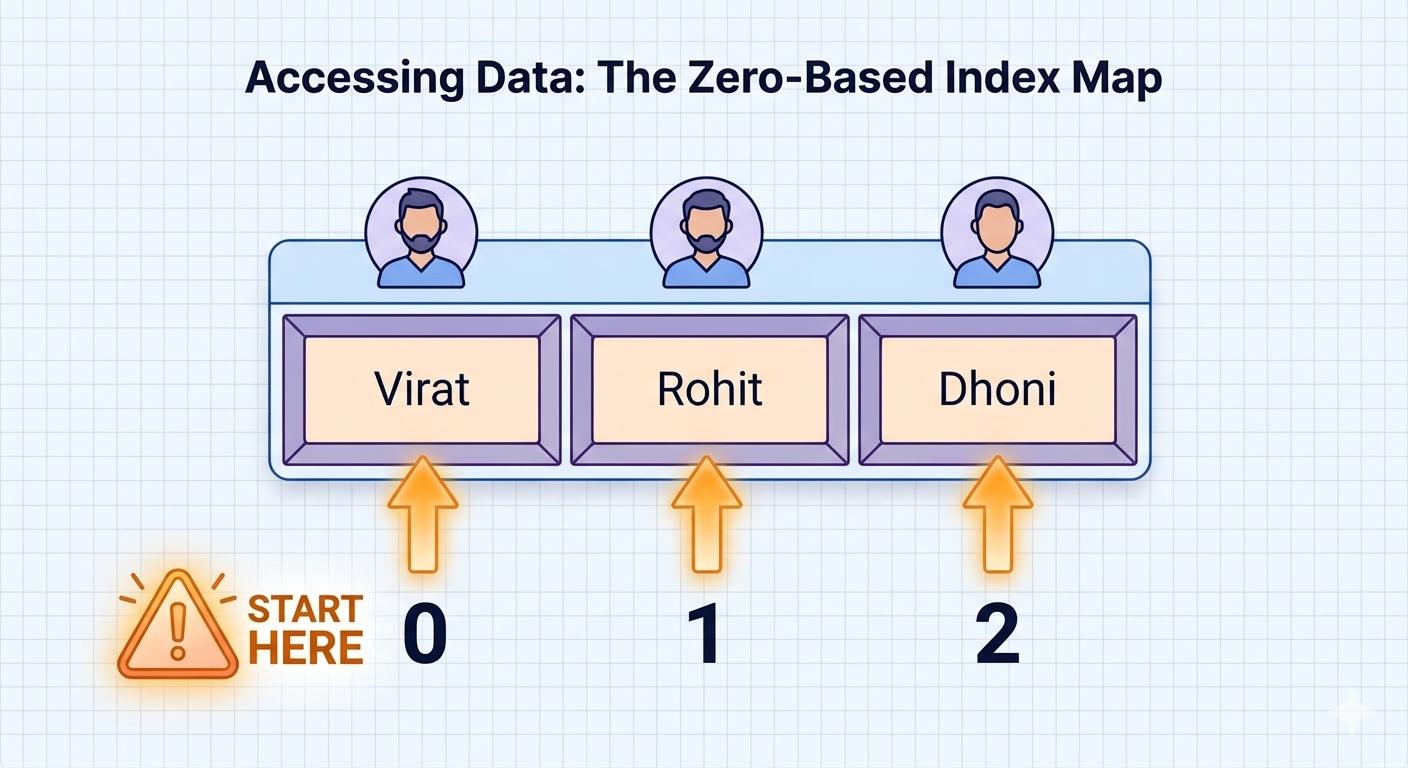
Every item inside an array has a position number called an index.
Important rule:
👉 JavaScript arrays start indexing from 0.
Example:
const players = ["Virat", "Rohit", "Dhoni"];

console.log(players[0]);
console.log(players[1]);
console.log(players[2]);
Output:
Virat
Rohit
Dhoni
So:
| Element | Index |
|---|---|
| Virat | 0 |
| Rohit | 1 |
| Dhoni | 2 |
This is one of the most common beginner mistakes — forgetting that arrays start at 0 instead of 1.
Updating Elements
You can change any value inside an array using its index.
const teams = ["India", "Australia", "England"];

teams[1] = "New Zealand";

console.log(teams);
Output:
["India", "New Zealand", "England"]
You simply assign a new value to that index.
Array Length Property
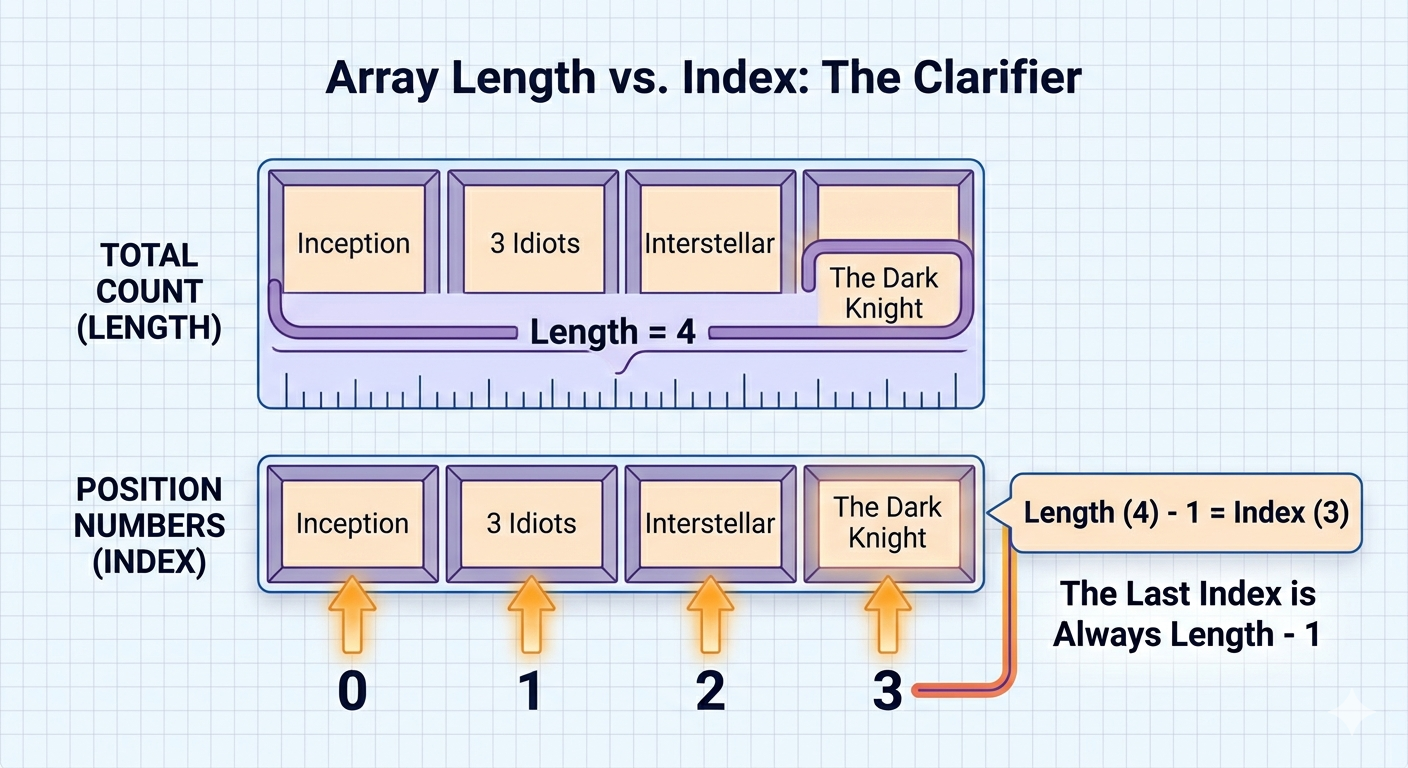
Every array has a built‑in property called length.
It tells you how many elements exist inside the array.
const movies = ["Inception", "3 Idiots", "Interstellar"];

console.log(movies.length);
Output:
3
A helpful trick is using length to get the last element of an array.
console.log(movies[movies.length - 1]);
Why -1?
Because arrays start at 0.
If length is 3, the last index is 2.
Looping Through Arrays
Often you want to print or process every element inside an array.
The simplest way is a for loop.
const scores = [45, 82, 67, 90];

for (let i = 0; i < scores.length; i++) {
  console.log(scores[i]);
}
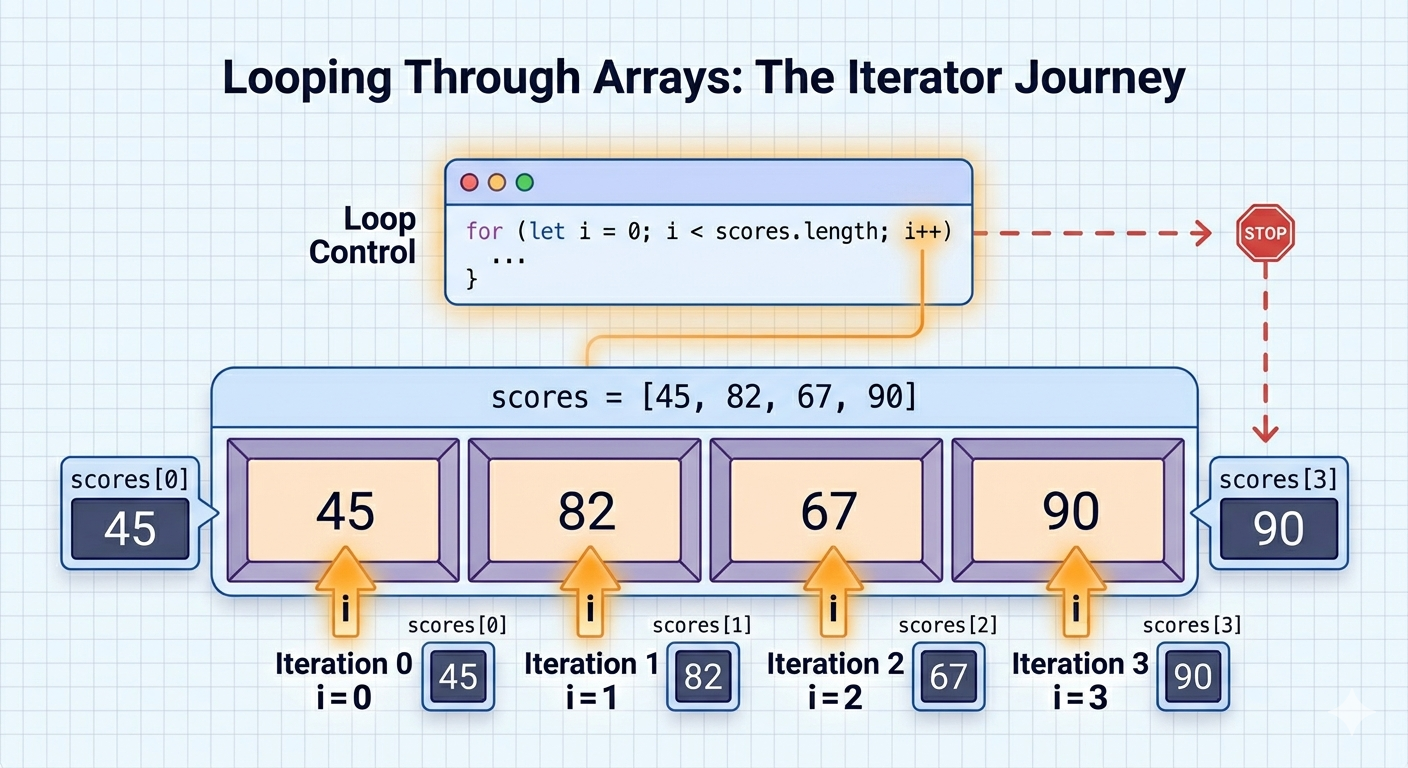
How this works:
istarts at 0The loop runs until
iis less than array lengthEach iteration prints the element at that index
Another beginner‑friendly loop is for...of.
for (const score of scores) {
  console.log(score);
}
This loop directly gives you the values instead of indexes.
Fun Facts About Arrays
📌 Arrays are technically objects in JavaScript.
console.log(typeof []);
Output:
"object"
But we treat them like lists.
So, to verify if what we have is an array or not, we do it like this in JS -
Array.isArray(scores); // true
Array.isArray() returns true for inputs that are arrays and false otherwise for all the cases.
📌 Arrays can store different types of values.
const weirdArray = ["Hello", 42, true];
This is the beauty of JavaScript, unlike many other programming languages, where only one type of data exists in the array, but in JavaScript, we can write any type of data inside the array; However, keeping similar data together makes code easier to read.
📌 You can access the last element with a modern trick:
movies.at(-1)
This returns the last element.
Beginner Gotchas
⚠️ Index starts at 0
This causes many off‑by‑one errors.
⚠️ Accessing a missing index returns undefined
const arr = [1,2,3];
console.log(arr[10]);
Output:
undefined
⚠️ Length is not the last index
If the length is 5, the last index is 4.
Assignment (Practice Time)
Try this small exercise.
Tasks
1️⃣ Create an array of 5 favourite movies
2️⃣ Print the first and last movie
3️⃣ Replace one movie with another
4️⃣ Loop through the array and print all movies
Quick Recap
Arrays allow us to:
✔ Store multiple values in one variable
✔ Access elements using indexes
✔ Update values easily
✔ Loop through data efficiently
Arrays are one of the most important fundamentals in JavaScript and you'll use them in almost every real project.
In the next step, you can explore array methods like push(), pop(), map(), and filter() — which make arrays even more powerful.
Example solution for Assignment:
const myMovies = ["Jawan", "Dangal", "Interstellar", "The Dark Knight", "3 Idiots"];

console.log("First movie:", myMovies[0]);

console.log("Last movie:", myMovies[myMovies.length - 1]);

myMovies[2] = "Inception";

console.log("Updated array:", myMovies);

for (const movie of myMovies) {
  console.log(movie);
}
Final Thoughts
JavaScript arrays are one of the most fundamental tools in programming. Almost every real-world program uses them in some way — whether you're storing a list of users, managing tasks in a to-do app, or tracking cricket scores in a scoreboard.
At first, arrays might seem like just a simple list of values, but they become incredibly powerful when combined with loops and array methods (which we’ll explore in future articles).
The key things to remember are:
Arrays store multiple values in order
Indexing starts at 0
You can read and update elements using indexes
The length property tells you how many elements exist
Arrays work very well with loops
Once you get comfortable with arrays, many JavaScript problems suddenly become much easier to solve.
End Message for Readers
If you enjoyed this article or found it helpful, feel free to leave a comment below. I’d love to know if the explanations made arrays easier to understand.
And if you notice anything incorrect, confusing, or something that could be explained better, please let me know — feedback helps improve future articles and helps other learners too.
Happy coding! 🚀


