How DNS Resolution Works
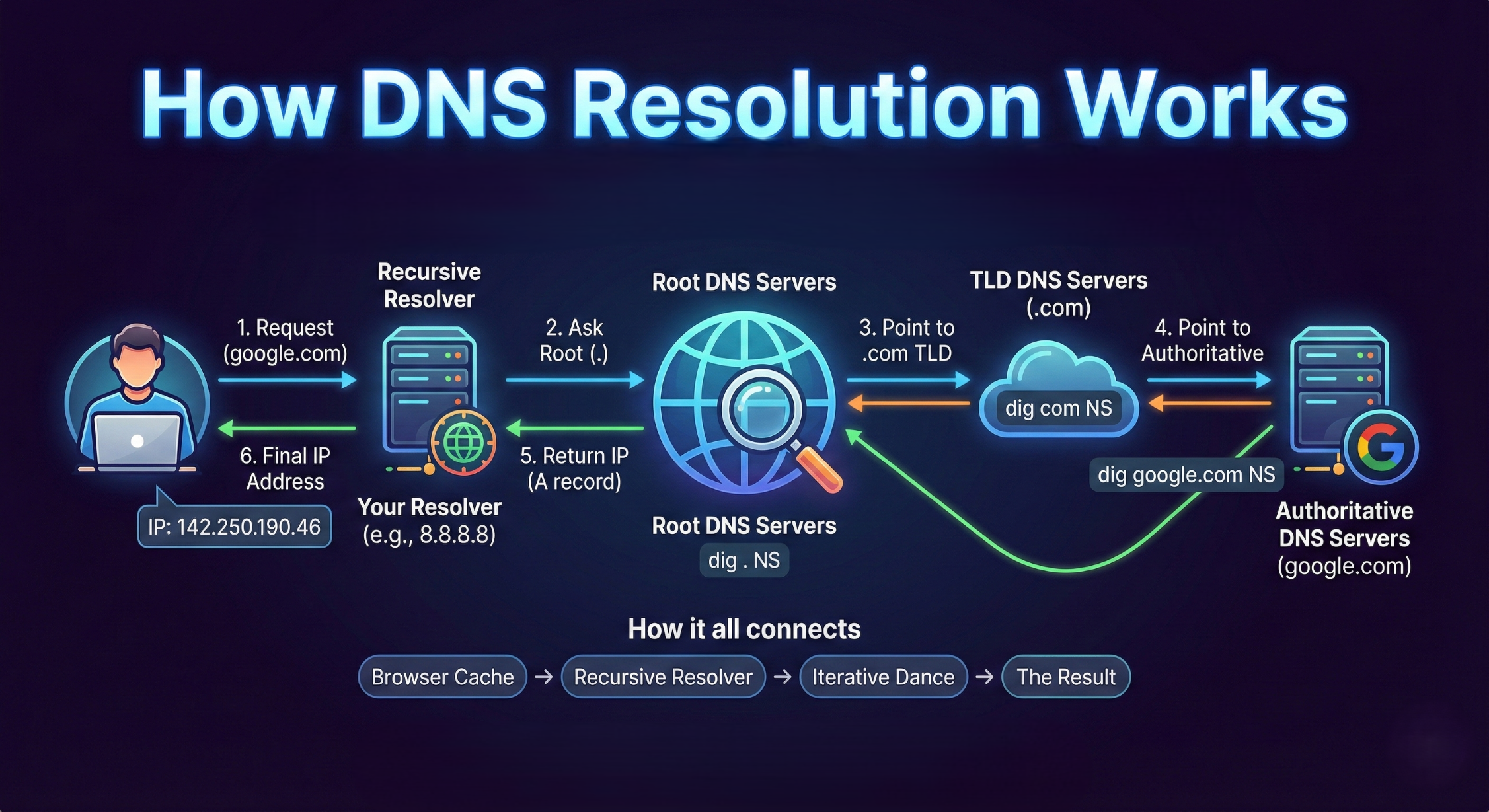
Have you ever wondered how your browser knows exactly where to find google.com among billions of devices on the internet? It doesn't use names; it uses IP addresses.
The Domain Name System (DNS) is the "phonebook of the internet." It translates human-readable names (like google.com) into machine-readable IP addresses (like 142.250.190.46). Without it, you’d have to memorize a string of numbers for every website you visit.
To understand how this works under the hood, we are going to use a powerful diagnostic tool called dig (Domain Information Groper). If you are on Linux or macOS, you likely have it installed. If you're on Windows, you can use it via WSL.
1. What is the dig command?
dig is a command-line tool used to query DNS name servers. Unlike a browser, which just gives you the final result, dig allows you to inspect each step of the resolution process. It’s the "all-purpose-tool" for network engineers and system designers.
2. The Hierarchy: Starting at the Root (dig . NS)
DNS isn't one giant database; it’s a distributed, hierarchical system. At the very top is the Root. Infact there are 13 Root servers and 1600+ servers which act as the backbone of the internet.
Run this command: dig . NS
.: This represents the root of the DNS hierarchy.NS: This stands for Name Server records. These records tell us which servers are responsible for a specific domain or TLD’s.
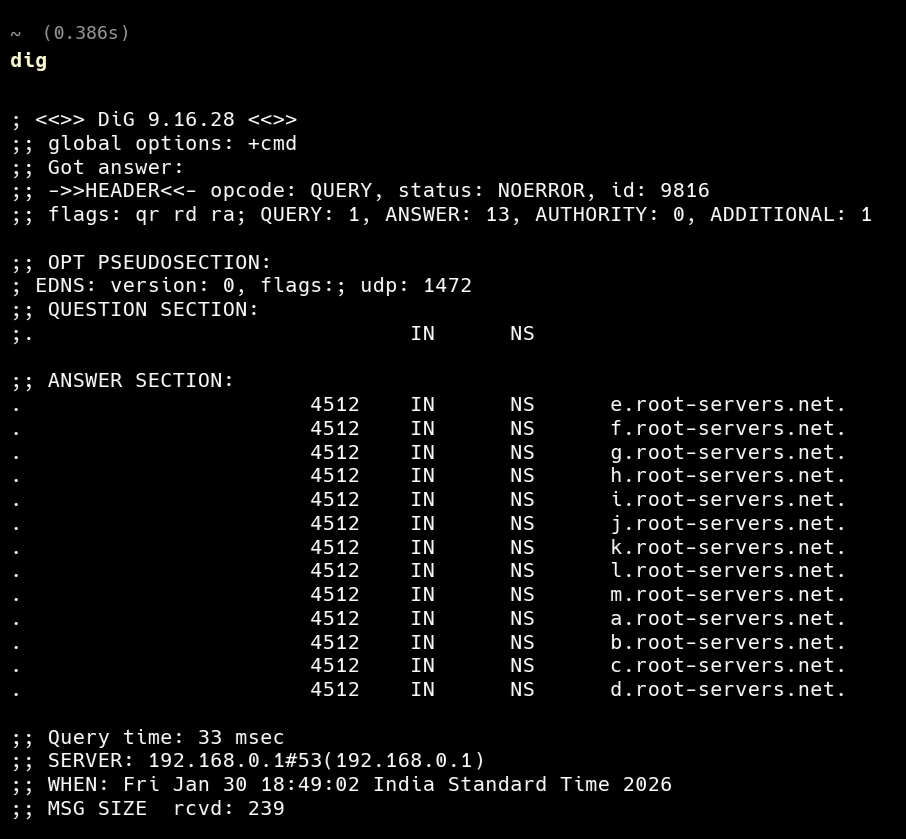
The output shows you the 13 sets of Root Name Servers (labeled a.root-servers.net through m.root-servers.net). These servers don’t know where Google is, but they know who is in charge of the TLDs (Top-Level Domains) like .com, .org, and .net.
3. Moving to the TLD Layer (dig com NS)
Once the Root points us in the right direction, we move to the Top-Level Domain (TLD) servers.
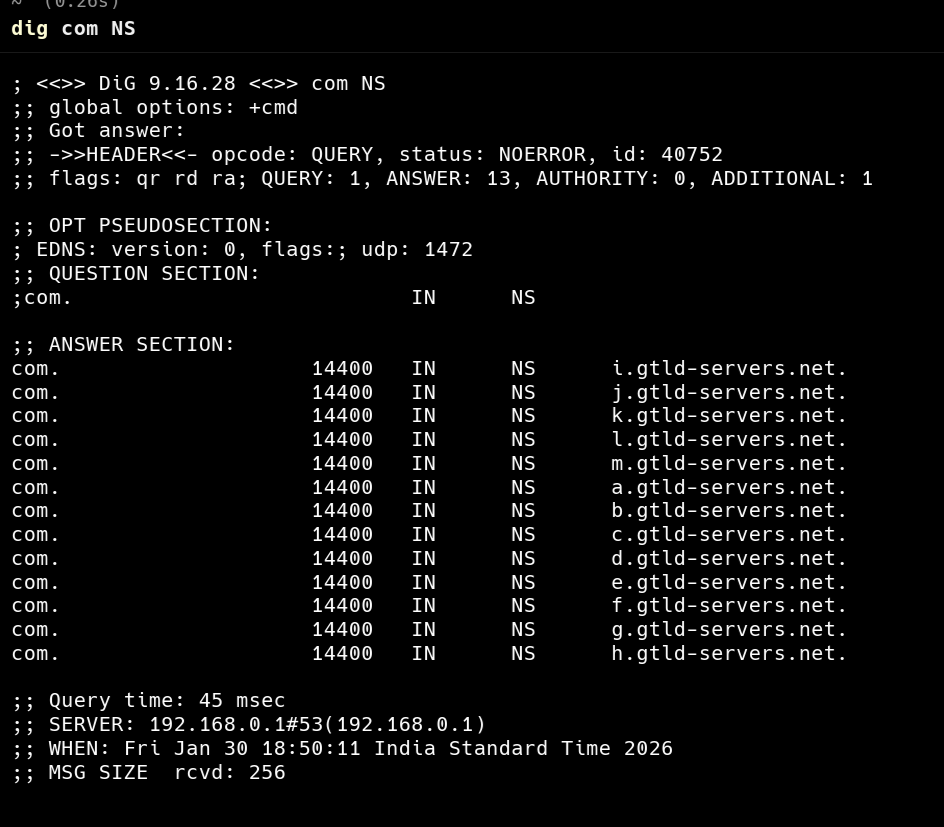
Run this command: dig com NS
This query asks: "Who is in charge of all .com domains?" The response will point you to the TLD Name Servers managed by organizations like Verisign. These servers still don't have the IP address for google.com, but they know which servers actually own that specific domain.
4. Reaching the Source of Truth (dig google.com NS)
Now we reach the Authoritative Name Servers. These are the final authority for a specific domain name.
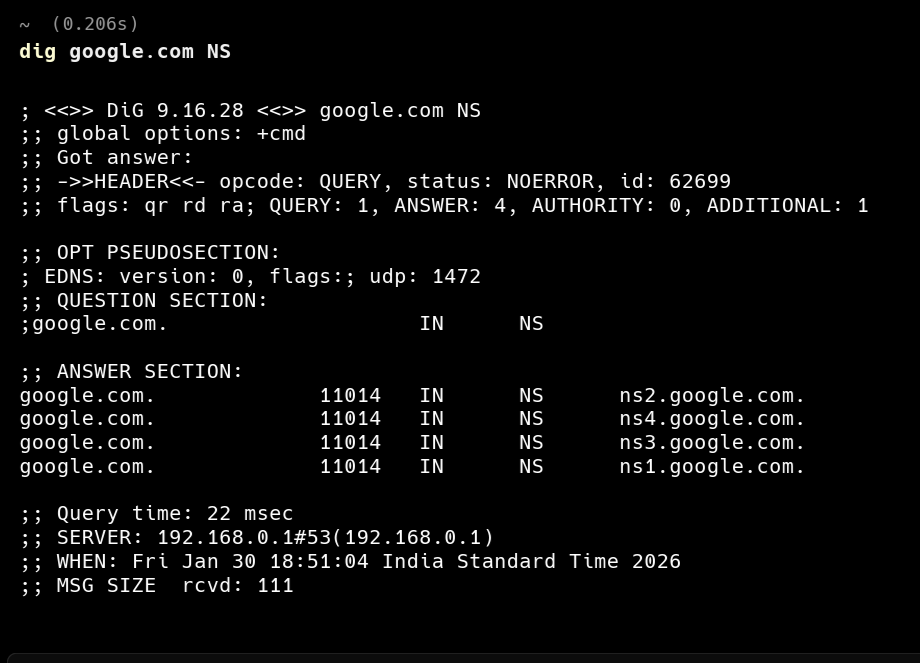
Run this command: dig google.com NS
The output will list Google's own name servers (e.g., ns1.google.com). These servers contain the actual mapping of "google.com" to its IP address. When you buy a domain and "point" it to a hosting provider, you are essentially updating these NS records.
5. The Full Resolution Flow (dig google.com)
Finally, when you perform a standard lookup, your Recursive Resolver (usually provided by your ISP or Google/Cloudflare) does all the heavy lifting we just discussed.
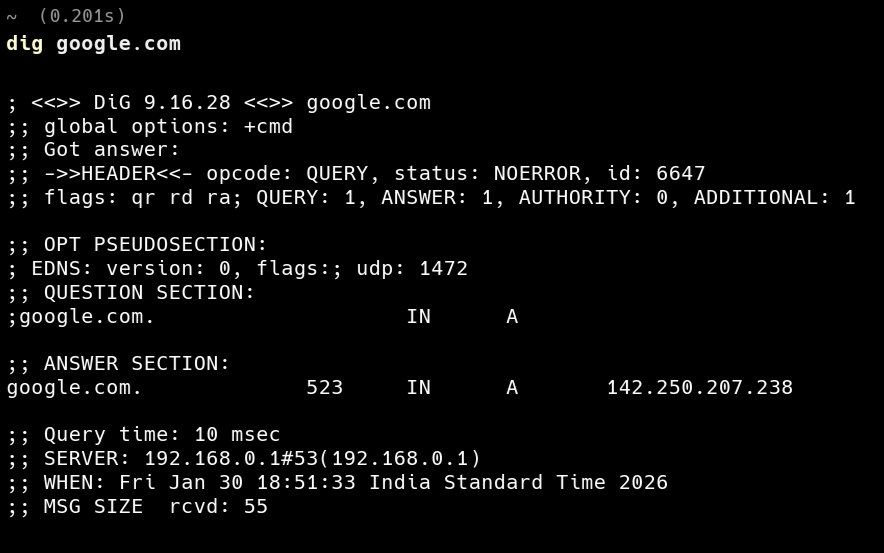
Run this command: dig google.com
Look at the ANSWER SECTION. You will see an A record (Address record). This is the destination IP address.
How it all connects
When you type a URL into your browser, the following happens in milliseconds:
Browser Cache: Your computer checks if it already knows the IP.
Recursive Resolver: If not, it asks a resolver (like
8.8.8.8).The Iterative Dance: The resolver asks the Root (
.), which points to the TLD (.com), which points to the Authoritative Server (google.com).The Result: The resolver brings the IP back to your browser, and the connection is made.
Conclusion: From Magic to Mechanics
DNS often feels like magic—you type a name, and the site appears. But as we've seen with dig, it’s actually a strictly defined conversation between the Root, TLD, and Authoritative servers.
By breaking down the resolution process into layers, you move from simply being a user of the internet to understanding its fundamental plumbing. The next time you encounter a "Site Can't Be Reached" error, you won't just hit refresh; you’ll have the tools to investigate exactly where the chain is broken.
Hope this article helped just a teeny tiny bit in understanding DNS resolution, I am open for your suggestions in comments.
Happy Learning!


