Getting Started with cURL
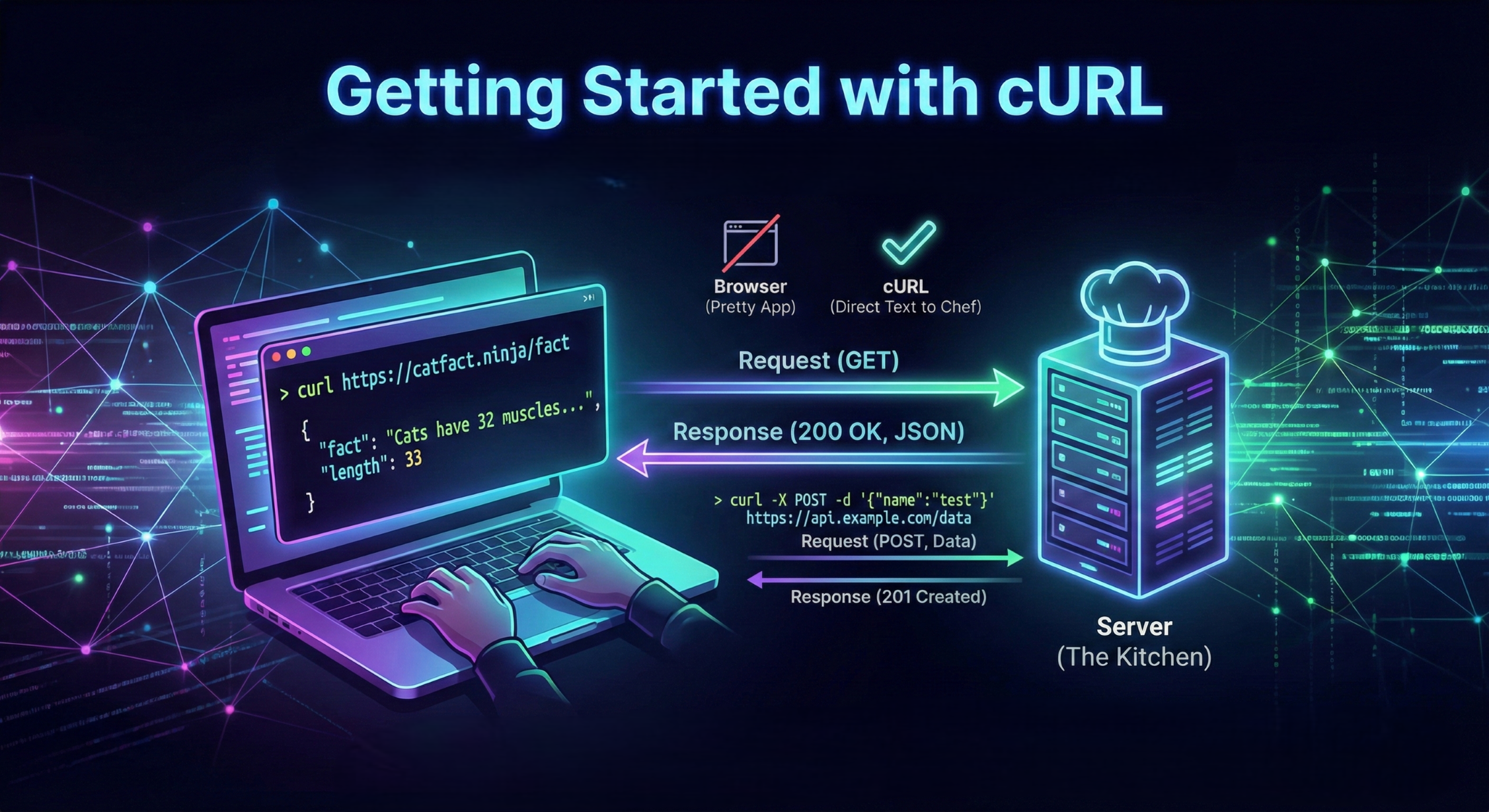
Hey everyone! I’m just starting my journey as a technical writer, and today I want to talk about a tool that used to intimidate me: cURL.
When I first saw people typing cryptic commands into their terminal and getting walls of text back, I thought, "Why not just use a browser?" But after digging in, I realized it’s basically a superpower for talking to the internet. Let's break it down together!
What is a Server, anyway?
Before we talk about cURL, we need to understand who we’re talking to. Imagine you’re at a restaurant. You are the Client, and the kitchen is the Server.
The Server is just a computer somewhere else that holds information (like a website's code or a database).
To get that information, you have to "order" it.
Usually, our web browser (Chrome or Safari) does the ordering for us. But as programmers, we often need to talk to the server directly, without the "pretty" interface of a browser.
What is cURL?
cURL stands for "Client URL." Think of it as a way to send messages to a server directly from your terminal.
If a browser is like a high-end delivery app with photos and buttons, cURL is like sending a text message directly to the chef. It’s fast, lightweight, and works on almost every computer.
Why do Programmers even need it?
You might wonder, "Why not just use the browser?" Here is why cURL is a must-have in your toolkit:
Speed: It’s way faster to type a command than to wait for a heavy website to load.
Automation: You can write scripts that use cURL to check if a website is down or to download files automatically.
Testing: If you’re building an app, you need to check if your server is sending back the right data. cURL is the cleanest way to do that.
Making Your First Request
Let’s stop talking and start doing! Open your terminal (Command Prompt on Windows or Terminal on Mac) and type this:
Bash curl https://www.google.com
What happened? You just sent a "GET" request to Google’s server. You’ll probably see a giant wall of HTML code fly past. That is exactly what your browser sees before it turns it into the Google homepage we all know.
Understanding the Conversation
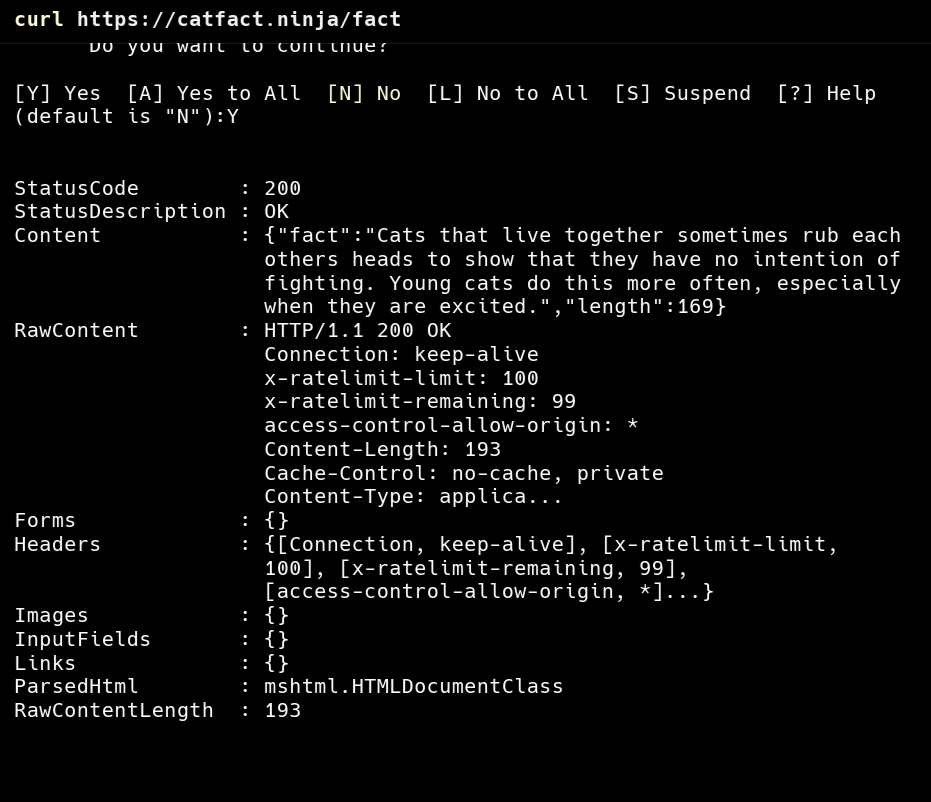
When you send a request, the server sends back a Response. This usually consists of two parts:
The Status Code: A 3-digit number telling you how it went.
200means "OK!"404means "Not Found" (we’ve all seen that one).
The Body: This is the actual data (HTML, text, or JSON).
Talking to APIs (The Fun Part)
APIs are how different apps talk to each other. Instead of sending back a whole webpage, an API usually sends back simple data (JSON).
Let's try a "GET" request to a real (and fun) API that gives us random facts about cats:
Bash curl https://catfact.ninja/fact
You’ll get back a neat little piece of data like: {"fact":"Cats have 32 muscles in each ear.","length":33}.
Sending Data (POST)
Sometimes you don't just want to get data; you want to send it (like submitting a form). We use POST for that.
GET: "Hey server, give me that file."
POST: "Hey server, here is some info I want you to save."
Common Mistakes Beginners (Like Me) Make
Forgetting the Protocol: Always include
https://. If you just typecurlgoogle.com, it might not work the way you expect.Getting Overwhelmed by Flags: You might see commands like
curl -X POST -H "Content-Type: application/json" -d '{"name":"test"}'. Don't panic! Start with simple GET requests until you feel comfortable.Typing Errors: One missing slash or a misspelled word will cause an error. Copy-paste is your friend!
Final Thoughts
cURL isn't just a "hacker tool"—it's a fundamental way to understand how the internet works. Start by just "cURLing" your favorite websites and seeing what they send back. Once you stop being afraid of the terminal, the whole web opens up to you!
Happy Learning!


