DNS Record Types Explained: The Internet’s Phone Book
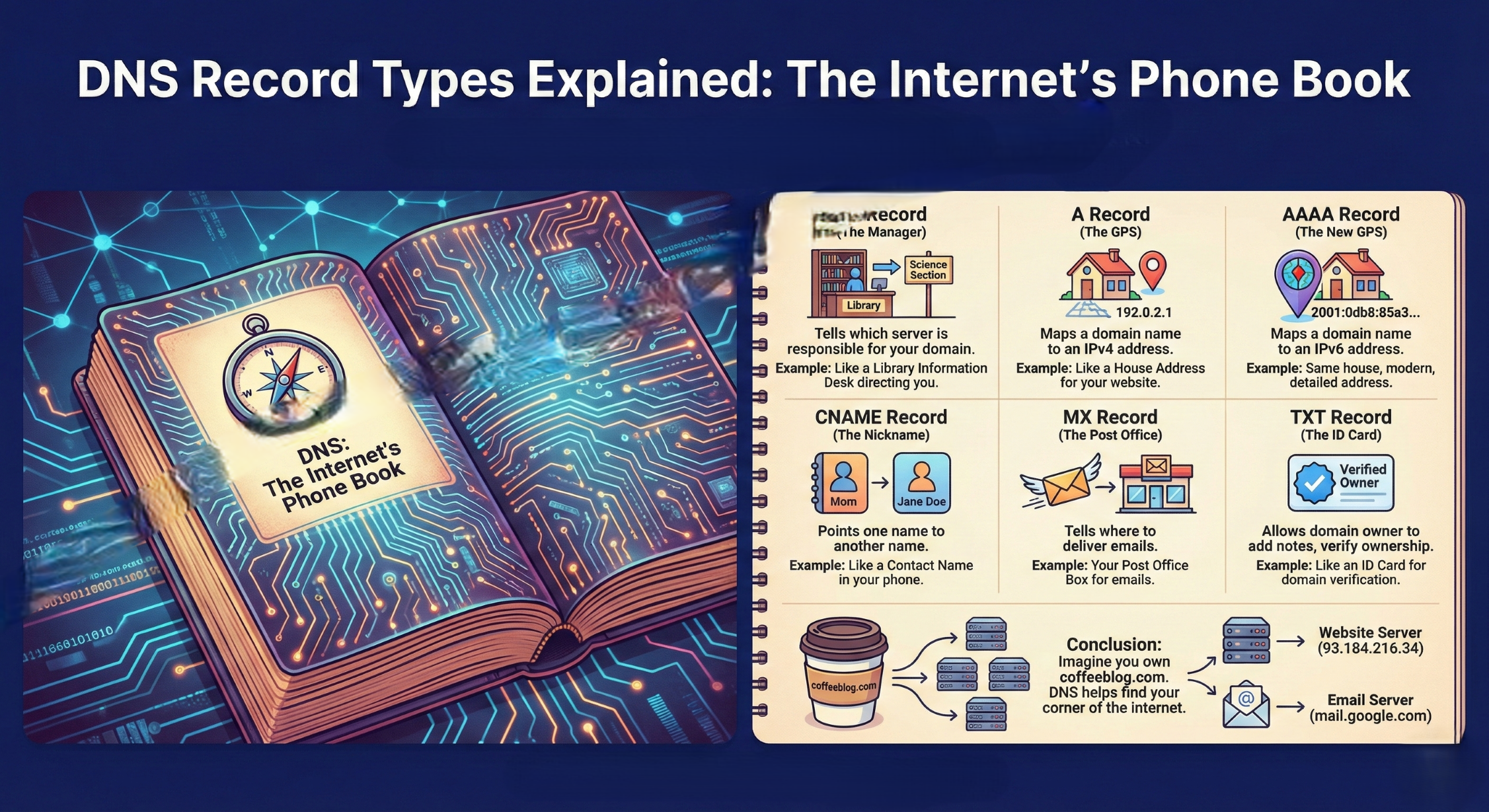
Have you ever wondered: “How does a browser know where a website lives?”
When you type google.com or yourfavoriteblog.com into your browser, your computer doesn’t actually know what that means. Computers talk in numbers, not names. To bridge this gap, we use something called DNS.
If you’ve just started learning about web development or IT, DNS can feel like a maze. But don't worry! Think of it as the phonebook of the internet. You look up a name (the website), and the phonebook gives you the number (the IP address) so you can make the "call."
To make this phonebook work, we use different types of DNS Records. Here is a simple guide to the ones you'll see most often.
Before we begin, keep this in mind: “The work of dns finds the IP address of the machine where the website is hosted is not a one-step process but many small steps in serial order, where each step provides clues about the next step. These records help us find those clues.“
1. NS Record (The Manager)
The Problem: How does the internet know who has the official "phonebook" for your specific website?
Solution: The NS (Name Server) Record tells the Internet which server is responsible for your domain.
- Real-life example: Think of this as the Information Desk at a massive library. If you want to find a specific book, the desk tells you, "Go to the Science section; they have the records you need."
2. A Record (The GPS)
The Problem: I have a domain name, but I need to point it to my web server's physical location.
Solution: The A Record stands for "Address." It maps a domain name to an IPv4 address (those four sets of numbers like 192.0.2.1).
- Real-life example: This is like a House Address. You know the name "The White House," but the A Record tells the GPS the exact coordinates: "26°54′54″N 75°49′12″E."
3. AAAA Record (The New GPS)
The Problem: We are running out of IPv4 addresses, so we created a newer, much longer version called IPv6, which will create more space for newcomers to occupy.
Solution: The AAAA Record (pronounced "Quad-A") does the exact same thing as an A record, but for IPv6 addresses (which look like 2001:0db8:85a3...).
- Real-life example: It’s the same house address, just written in a more modern, detailed format to ensure we never run out of unique locations.
4. CNAME Record (The Nickname)
The Problem: I want multiple names to lead to the same place, but I don't want to update ten different IP addresses if my server moves.
Solution: CNAME (Canonical Name) points one name to another name instead of an IP address.
Real-life example: Think of a Contact Name in your phone. You might have a contact named "Mom," but it just points to her actual name, "Jane Doe." If Jane changes her number, you only change it once for Jane, and "Mom" still works!
Common Use: Pointing
www.mysite.comtomysite.com.
5. MX Record (The Post Office)
The Problem: Someone sent me an email at hello@mysite.com. How does the internet know which server handles mail versus which server handles the website?
Solution: MX (Mail Exchanger) records tell the internet where to deliver your emails.
- Real-life example: This is your Post Office Box. Even if you live in a house (the A Record), your mail might be directed to a specific sorting facility (the MX Record) before it reaches you.
6. TXT Record (The ID Card)
The Problem: How can I prove to a service like Google or Outlook that I actually own this domain?
Solution: A TXT Record allows a domain owner to add "notes" or text to their DNS. It doesn't "do" anything for the visitor, but services read it to verify ownership or prevent spam.
- Real-life example: This is like an ID Card or a verified badge on social media. It’s extra information that proves you are who you say you are.
For beginners who are new to networking, there can be some points of confusion. Let's talk about them first :-
A vs. CNAME: An A Record points to the final destination (the IP). A CNAME points to another name.
NS vs. MX: NS tells everyone who is in charge of the domain settings. MX only cares about where the emails go.
Conclusion
Imagine you own coffeeblog.com. Here is how your "Phonebook" might look:
| Record Type | Host / Name | Value (Points to...) | What it does |
| NS | coffeeblog.com | ns1.hosting.com | Tells the world where to find these settings. |
| A | coffeeblog.com | 93.184.216.34 | Sends visitors to your website server. |
| CNAME | www | coffeeblog.com | Ensures people find you even if they type "www". |
| MX | coffeeblog.com | mail.google.com | Makes sure your "contact us" emails arrive. |
DNS might seem technical at first, but it’s just a series of directions helping the world find your corner of the internet. Once you understand these six basic records, you've mastered the foundation of how the web stays connected!
Hope you have learned something new from my blog. I am open to your suggestion in the comments.
Happy Learning!


